Key takeaways
- SKU means Stock Keeping Unit.
- SKUs are internal codes created and managed by businesses.
- Barcodes enable electronic scanning of encoded identifiers.
- UPC and EAN barcodes commonly carry standardized GTINs.
- Retailers can use SKUs and barcodes together.
- Different sizes, colors, and packaging variations may need separate identifiers.
- Internal barcode labels do not automatically qualify as GS1 identifiers.
- Accurate product setup is still essential for inventory tracking.
If you manage a grocery, hardware store, minimart, or retail business, you've probably encountered the terms SKU vs barcode when organizing your inventory.
They both help identify products, but they're not exactly the same thing.
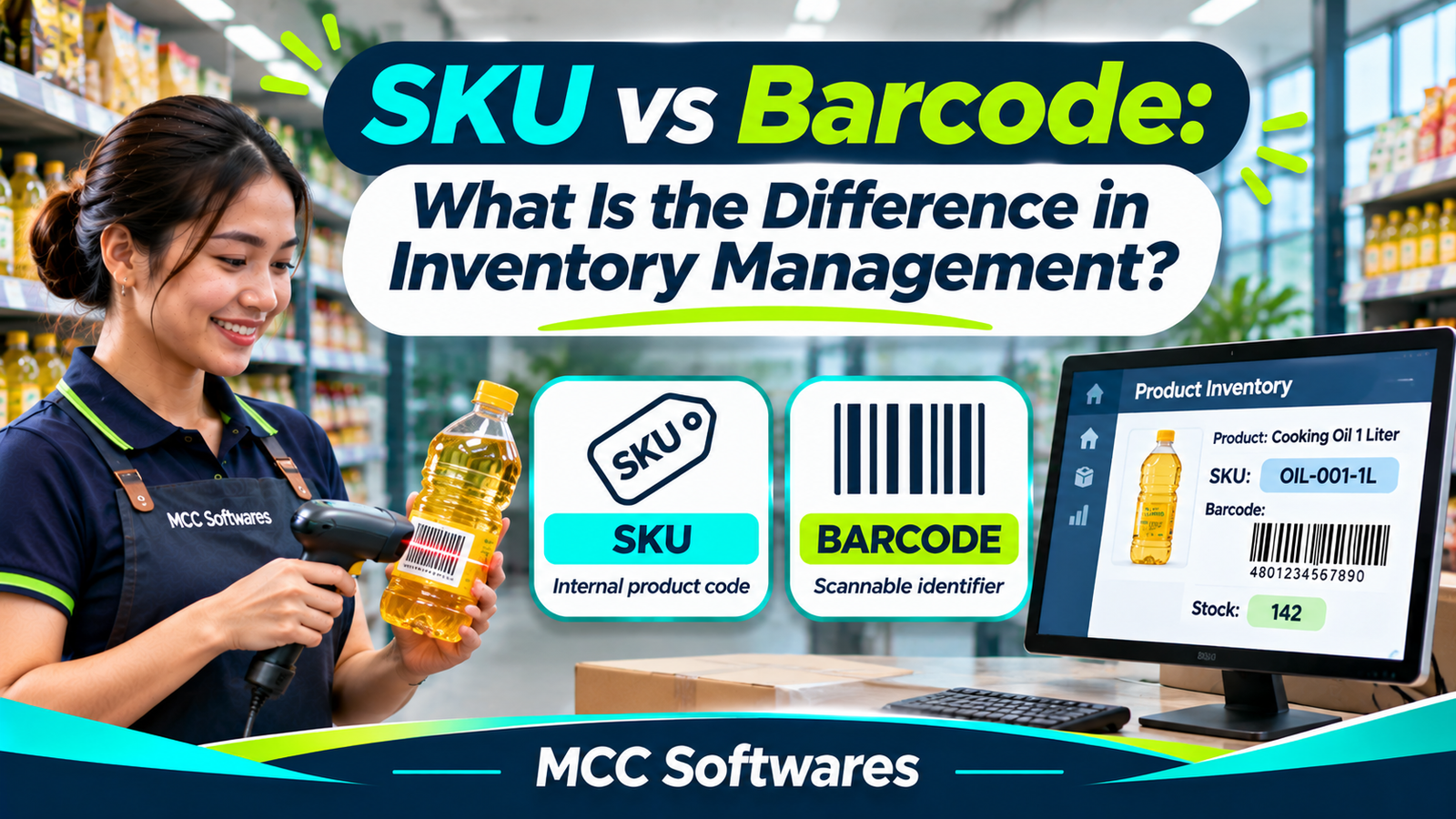
Imagine receiving 100 bottles of cooking oil. Your supplier's bottles already have barcodes printed on their labels, but your inventory system asks you to enter an SKU.
Should you use the same number? Do you need to create another code?
Understanding the difference can make product registration, checkout, and stock tracking much easier.
What Is an SKU?
SKU stands for Stock Keeping Unit.
It's an internal identification code that businesses use to organize and track their products.
Unlike standardized product identifiers, your company can create its own SKU format.
For example, a retail store might use:
| Product | Sample SKU |
|---|---|
| Cooking Oil 1L | OIL-001-1L |
| Bottled Water 500ml | WTR-001-500 |
| White T-Shirt Medium | TSH-WHT-M |
| White T-Shirt Large | TSH-WHT-L |
These are fictional examples.
An SKU makes it easier for employees to identify products without relying only on their names.
Why Are SKUs Useful?
Suppose your clothing store sells the same shirt in three colors and four sizes.
Each variation should have its own SKU if you need to track its stock separately.
This helps your team identify exactly which product was sold, returned, or transferred.
According to Shopify's SKU guide, SKUs are internal identifiers that businesses can customize for inventory management and reporting.
What Is a Barcode?
A barcode is a machine-readable representation of information, often displayed as black bars and white spaces.
When scanned, it sends encoded information to a connected system.
For example, a cashier scans the barcode printed on a bottle of shampoo.
The POS system recognizes the barcode value, finds the matching product in its database, and displays the product information.
The barcode itself doesn't necessarily contain the price or remaining stock quantity.
That information generally comes from your POS or inventory database.
Common Barcode Types
Retail products often use standardized identifiers encoded in barcodes, such as UPC and EAN.
These are associated with Global Trade Item Numbers (GTINs).
According to GS1, a GTIN identifies a trade item, while a barcode is a machine-readable way of representing that identifier.
Businesses can also print internal barcodes that encode their own SKU or inventory code. These should not be confused with officially assigned GS1 product identifiers.
SKU vs Barcode: What's the Difference?
Here's a simple comparison.
| Feature | SKU | Barcode |
|---|---|---|
| Main purpose | Internal product identification | Machine-readable identification |
| Created by | Usually the retailer or business | Barcode value may come from a supplier, standards system, or the business |
| Format | Letters, numbers, or both | Printed or digital scannable symbol |
| Used for | Inventory organization and reporting | Checkout, receiving, and stock counting |
| Can be customized? | Yes | Internal barcodes can; standardized identifiers follow rules |
| Needs a scanner? | No | Usually scanned, although the encoded value may be typed |
The important distinction is that an SKU is an internal product identifier, while a barcode is a way to capture an identifier electronically.
They can work together rather than replace each other.
Do You Need Both an SKU and a Barcode?
For many retail businesses, using both is practical.
Your SKU helps organize your internal product catalog, while the barcode makes it faster to identify products during transactions.
Example: Grocery Store
Suppose you sell a 1-liter bottle of cooking oil.
Your inventory record could contain:
Product: Cooking Oil 1L
SKU: OIL-001-1L
Barcode/GTIN: The actual identifier printed on the product's packaging
Selling Price: ₱120
Available Stock: 100 units
When the cashier scans the bottle, the POS system finds the matching product and adds it to the sale.
After the sale is completed, an inventory-connected POS can deduct the sold quantity.
The SKU remains useful for reports, stock transfers, and product searches.
What If Your Products Don't Have Barcodes?
Not every product arrives with a retail barcode.
This is common for some locally produced goods, handmade products, and store-specific inventory items.
In these cases, you can create an internal SKU and, if your software supports it, print a barcode label that encodes that code.
For example, a store selling locally made candles could assign CND-VAN-100 to a vanilla-scented candle.
The store could then print an internal barcode for checkout and inventory counting.
However, if you plan to distribute your products through major retailers or marketplaces, you may need standardized GTINs.
You can review the requirements through GS1 Philippines.
How Should You Organize Your Product Codes?
Good product identification starts with consistent rules.
You don't need complicated SKU formats. Choose something your team can understand and maintain.
For example, you might use a category abbreviation, product code, and size.
Avoid These Common Mistakes
1. Using the same SKU for different products
Each separately tracked product variation should have a unique SKU.
2. Changing SKUs without proper planning
Frequent changes can create confusion in reports and historical records.
3. Registering one product multiple times
Duplicate records can divide stock quantities and sales history.
4. Assuming every barcode is unique across different packaging levels
A single bottle and a carton may require different product identifiers.
5. Assuming barcode scanning automatically guarantees inventory accuracy
You still need correct product records, properly completed transactions, and regular physical stock counts.
How Do SKUs and Barcodes Help With Inventory Management?
When SKUs and barcodes are organized properly, employees can identify products more consistently.
For example, when receiving supplier deliveries, staff can scan a product and confirm its quantity.
During stock transfers, employees can select the correct item without relying only on product descriptions.
At checkout, barcode scanning can reduce manual product searches and some types of encoding mistakes.
However, software and scanners still depend on accurate product setup.
If the wrong barcode is assigned to a product, scanning may repeatedly select the wrong item.
This is why product registration and inventory validation are important before using a new POS system.
Inventory Management Solutions by MCC Softwares
At MCC Softwares, we develop business applications for Philippine companies that need more organized inventory and sales workflows.
Our business systems development services cover product records, inventory movements, POS workflows, and business reporting.
We're also developing QuixPOS, a retail POS and business management solution with a planned focus on inventory, transactions, and multi-branch operations.
QuixPOS is still under development, so its final features and public availability should be confirmed before making purchasing decisions.
If you're reviewing your current inventory process, you may also find our guides helpful:
Frequently Asked Questions
Can two stores use different SKUs for the same product?
Yes. SKUs are internal identifiers, so different businesses may assign different SKU codes to the same item.
Is a barcode the same as a product number?
Not exactly. The barcode is the scannable representation, while the encoded value identifies an item or carries other information according to the barcode type.
Can I use my SKU as a barcode?
Yes. You can encode an internal SKU in a supported barcode format for use within your business. That doesn't make it a GS1-issued GTIN.
Does a small retail store need barcode scanners?
Not necessarily. A small business can begin with manual product searches, although scanners may make transactions more convenient as product volume increases.
Final Thoughts
Understanding SKU vs barcode is an important part of organizing your inventory.
SKUs help your business identify and manage products internally, while barcodes make product identification faster through scanning.
You don't have to choose only one.
For many growing retail businesses, using both provides a practical foundation for better product records, sales processing, and inventory tracking.
Questions this article answers
- What is the difference between an SKU and a barcode?
- What does SKU mean in inventory management?
- Is an SKU the same as a UPC or GTIN?
- Do retailers need both SKUs and barcodes?
- Can an SKU be converted into a barcode?
- What if my products don't have barcodes?
- How do SKUs and barcodes work in a POS system?
- How should a retail store organize product codes?
Sources and references
- What Is a Stock Keeping Unit? — Shopify
- Shopify Product Details and SKU Guidance — Shopify
- GTIN, Barcode, EAN and UPC Differences — GS1
- GS1 Philippines Barcodes — GS1 Philippines
- Business Systems Development — MCC Softwares
- QuixPOS Product Preview — MCC Softwares
Topics covered
SKUStock Keeping UnitBarcodeUPCEANGTINGS1GS1 PhilippinesInventory ManagementPoint-of-Sale SystemShopifyMCC SoftwaresQuixPOSPhilippines
Related MCC products and services
Last reviewed for accuracy: 20 November 2026.
Related articles
-
How Do You Track Stock Between Your Bodega and Store Shelves?
Struggling to track inventory between your bodega and store shelves? Learn how to record stock transfers, monitor quantities by location, prevent discrepancies, and organize inventory for your retail business.
-
How Do You Choose a Domain Name for a Philippine Business?
Starting a business website in the Philippines? Learn how to choose a memorable domain name, compare .com and .ph, check trademarks, avoid common mistakes, and protect your domain registration.
-
Appointment Scheduling vs Queue Management: What Does a Clinic Need?
What's the difference between appointment scheduling and queue management? Learn how each system works, which one your Philippine clinic needs, and how to organize patient visits more effectively.
-
Electronic Patient Records: A Guide for Clinics in Mindanao
Still using paper patient charts? Learn how electronic patient records can help clinics in Mindanao organize consultations, protect patient information, and simplify everyday operations.
-
Affordable Custom Software Development in Cotabato City
Planning a custom system in Cotabato City? Learn how to compare proposals, prioritize features, budget for support, and explore MCC Softwares solutions for your organization.