Key takeaways
- Track bodega and shelf quantities separately.
- Record transfers without treating them as sales.
- Assign reference numbers to every stock movement.
- Confirm quantities when receiving transferred products.
- Set minimum shelf stock levels for replenishment.
- Conduct regular physical stock counts.
- Investigate discrepancies before adjusting inventory.
- Consider inventory software when manual tracking becomes difficult.
If you operate a grocery, hardware store, minimart, or retail business, knowing how to track stock between your bodega and store shelves can save you from daily inventory headaches.
Imagine receiving 100 bottles of cooking oil. You place 70 in your bodega and display 30 on your store shelves.
After a few days, the shelves are almost empty. Your employee transfers another 20 bottles from storage, but nobody records the movement.
Your total inventory might still be correct, but your location records are now inaccurate.
This is a common problem when businesses manage stocks using notebooks or spreadsheets.
Here's how to organize your inventory properly.
1. Treat Your Bodega and Store Shelves as Separate Locations
One of the simplest ways to improve inventory tracking is to separate your storage locations.
Instead of recording only the total number of products, maintain individual quantities for your bodega and selling area.
For example:
| Location | Quantity |
|---|---|
| Bodega | 70 |
| Store shelves | 30 |
| Total inventory | 100 |
With this setup, you can see where your products are actually located.
This becomes particularly useful when you have several storage rooms, multiple selling areas, or more than one store branch.
Why Location-Based Tracking Matters
Suppose your system says you have 50 units available, but all 50 are inside your bodega.
Your cashier might assume those products are immediately available on the shelves.
Tracking quantities by location gives your team a clearer picture of what needs replenishment.
2. Record Every Stock Transfer
Moving products from your bodega to your store shelves should be recorded as an inventory transfer.
A stock transfer isn't a sale. You're simply moving products from one location to another.
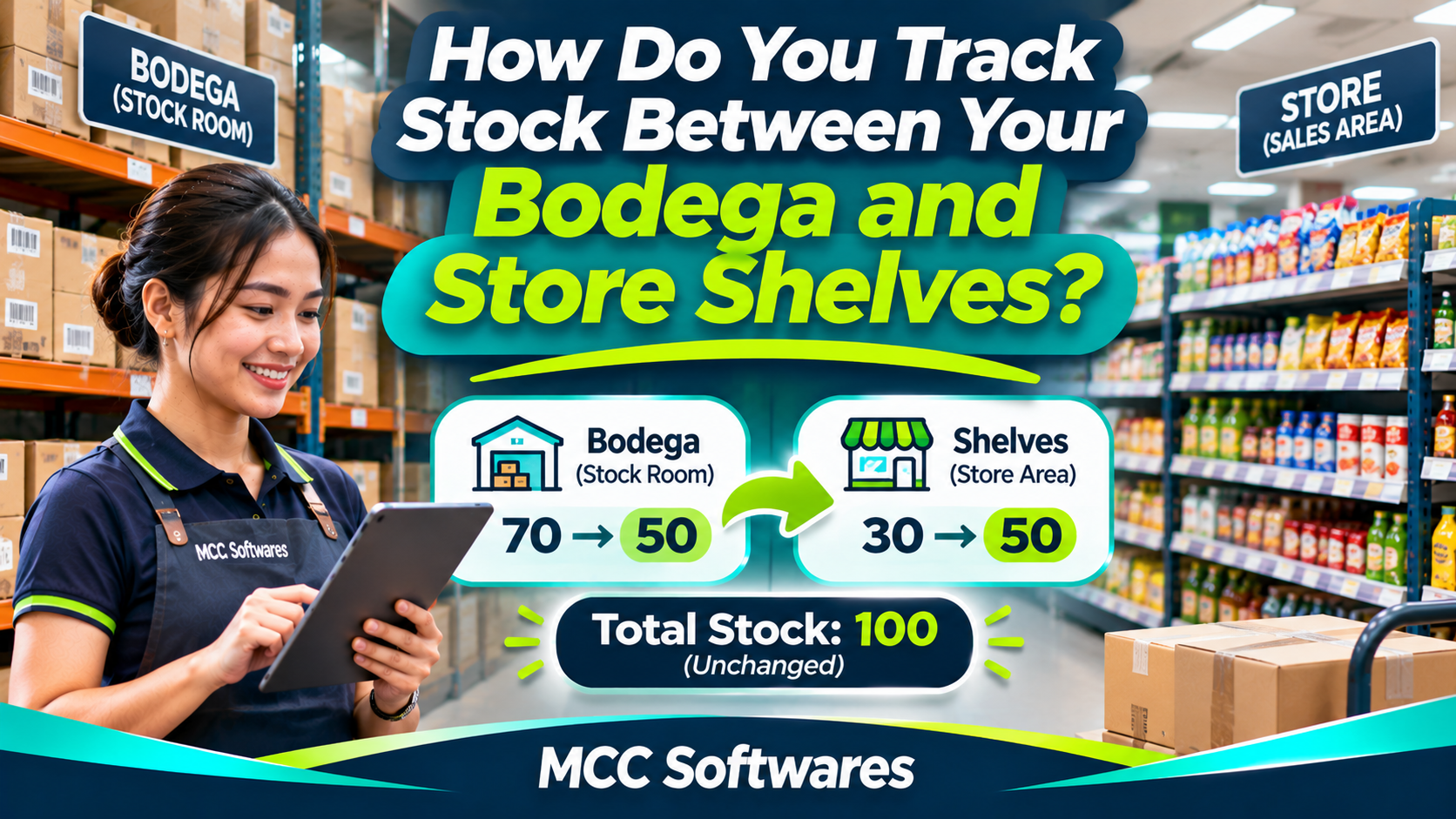
For example, if you transfer 20 bottles of cooking oil:
| Location | Before | After |
|---|---|---|
| Bodega | 70 | 50 |
| Store shelves | 30 | 50 |
| Total | 100 | 100 |
Notice that your total inventory remains 100.
Only the quantities assigned to each location change.
This is the basic principle behind location-based inventory tracking.
According to Shopify's inventory transfer documentation, businesses can record stock movements between locations to maintain more accurate inventory records.
3. Use a Stock Transfer Form
Even if you're still using Excel, you can create a simple stock transfer record.
At a minimum, include:
Transfer reference number
Date and time
Product name and SKU
Quantity transferred
Source location
Destination location
Employee responsible
Receiving confirmation
For example:
Transfer No.: TRF-0001
Product: Cooking Oil 1L
Quantity: 20 bottles
From: Main Bodega
To: Selling Area
Status: Received
This creates a record your staff can check whenever quantities don't match.
Confirm That Products Actually Arrived
It's not enough to record that 20 items left the bodega.
The receiving employee should verify how many actually arrived.
If only 19 bottles were received, investigate the missing item before treating the transfer as complete.
For businesses with larger storage facilities, separate transfer and receiving confirmations can be especially useful.
4. Keep Sales Separate From Stock Transfers
Here's another mistake that can create inventory discrepancies.
An employee transfers ten products from the bodega to the shelves, but records them as sold.
Your inventory system now shows ten fewer products, even though those items are still inside your store.
This makes your sales and inventory reports inaccurate.
Your system should distinguish between stock received, stock transferred, stock sold, damaged items, and returned products.
Each transaction affects inventory differently.
5. Monitor Shelf Stocks Regularly
Your bodega might contain plenty of inventory while your shelves remain empty.
That's why replenishment should be part of your daily store routine.
For example, you could establish a minimum display quantity for fast-moving products.
If the shelf quantity drops below ten units, your employee checks the bodega and prepares a transfer.
Example Replenishment Rule
| Product | Minimum Shelf Stock | Target Shelf Stock |
|---|---|---|
| Cooking Oil 1L | 10 | 30 |
| Canned Sardines | 20 | 60 |
| Bottled Water | 12 | 48 |
These are sample quantities. Your actual replenishment levels should depend on sales demand, available shelf space, and delivery frequency.
The goal is to keep popular products available without overcrowding your display area.
6. Conduct Physical Stock Counts
Even with a proper tracking system, inventory mistakes can happen.
Employees may forget to record transfers, select the wrong product, or enter incorrect quantities.
Regular physical counts help identify these problems.
You don't necessarily need to count every product daily.
Consider checking fast-moving or high-value items more frequently and scheduling broader inventory counts when appropriate.
Shopify's stock counting guide explains how location-based counts can help compare recorded quantities with physical inventory.
What If the Quantities Don't Match?
First, recount the affected product.
Then review recent sales, receiving records, stock transfers, returns, and damage adjustments.
Make sure all transactions are compared using the same cutoff time.
If an adjustment is necessary, document the reason and keep a record of who approved it.
Avoid changing quantities simply to make your report match the physical count.
7. When Should You Upgrade From Excel?
For a small business with limited inventory, a spreadsheet may still work.
However, managing inventory becomes more difficult when you have hundreds of products, frequent stock movements, or multiple employees handling transactions.
You might need dedicated inventory software when:
Transfers are regularly forgotten.
Shelf quantities don't match records.
Employees repeatedly enter the same information.
Your business has several storage locations.
Stock reports take too long to prepare.
You need a clearer transaction history.
An inventory management system can help record movements between locations and maintain separate quantities for each area.
For example, Square's inventory transfer guidance describes how supported retail systems record movements between locations.
How MCC Softwares Can Help
At MCC Softwares, we develop business applications for Philippine companies that need more organized workflows.
Our business systems development services cover inventory, sales, recordkeeping, and reporting requirements.
We're also developing QuixPOS, a retail point-of-sale and inventory management solution.
QuixPOS is being designed with inventory receiving, stock tracking, and multi-location inventory requirements in mind.
The product is still under development, so final features and availability should be confirmed with MCC Softwares.
For businesses with more specialized requirements, a custom inventory management system may be worth discussing.
Frequently Asked Questions
Is transferring stock from a bodega to store shelves considered a sale?
No. A stock transfer moves inventory between locations without changing the business's total quantity.
Should my bodega and selling area have separate inventory records?
Yes, if you need to know how many products are available in each area. Both locations can still be included in your overall inventory totals.
Can Excel track bodega-to-shelf transfers?
Yes. You can maintain separate location balances and a transfer log, provided employees update the records consistently.
Can a POS system automatically track inventory?
A POS system with suitable inventory features can deduct quantities when sales are completed. Location transfers may require a separate inventory function.
Final Thoughts
Tracking stock between your bodega and store shelves doesn't have to be complicated.
Start by separating location quantities, recording every transfer, confirming received products, and performing regular stock counts.
As your business grows, inventory software can help you manage these activities more consistently.
Need a better inventory management workflow?
Contact MCC Softwares to discuss your retail inventory requirements and explore suitable software solutions.
Questions this article answers
- How do you track stock between your bodega and store shelves?
- Should a bodega and selling area have separate inventory quantities?
- How do you record stock transfers?
- Does a transfer reduce total inventory?
- What should a stock transfer form include?
- How can you prevent shelf stockouts?
- Can Excel manage multiple inventory locations?
- When should a business use inventory management software?
Sources and references
- Inventory and Locations — Shopify
- Inventory Transfers and Shipments — Shopify
- Stock Counts — Shopify
- Transfer Stock Between Locations — Square
- Business Systems Development — MCC Softwares
- QuixPOS Product Preview — MCC Softwares
Topics covered
Inventory ManagementStock TransfersBodegaRetail InventoryPoint-of-Sale SystemsShopifySquareMCC SoftwaresQuixPOSPhilippines
Related MCC products and services
Last reviewed for accuracy: 19 November 2026.
Related articles
-
How Much Does Custom Software Development Cost in the Philippines?
Planning to build custom software for your business? Explore published software development prices in the Philippines, the factors that affect your budget, and how to get an accurate quotation.
-
Affordable Custom Software Development in Cotabato City
Planning a custom system in Cotabato City? Learn how to compare proposals, prioritize features, budget for support, and explore MCC Softwares solutions for your organization.