Key takeaways
- Assign a unique identification number to every rental paddle.
- Record customer, court, checkout, and return information.
- Establish clear rental fees and damage policies.
- Inspect equipment before and after use.
- Track available, rented, overdue, and damaged paddles.
- Monitor rental revenue separately from court bookings.
- DinkPOS supports equipment rentals linked to court sessions.
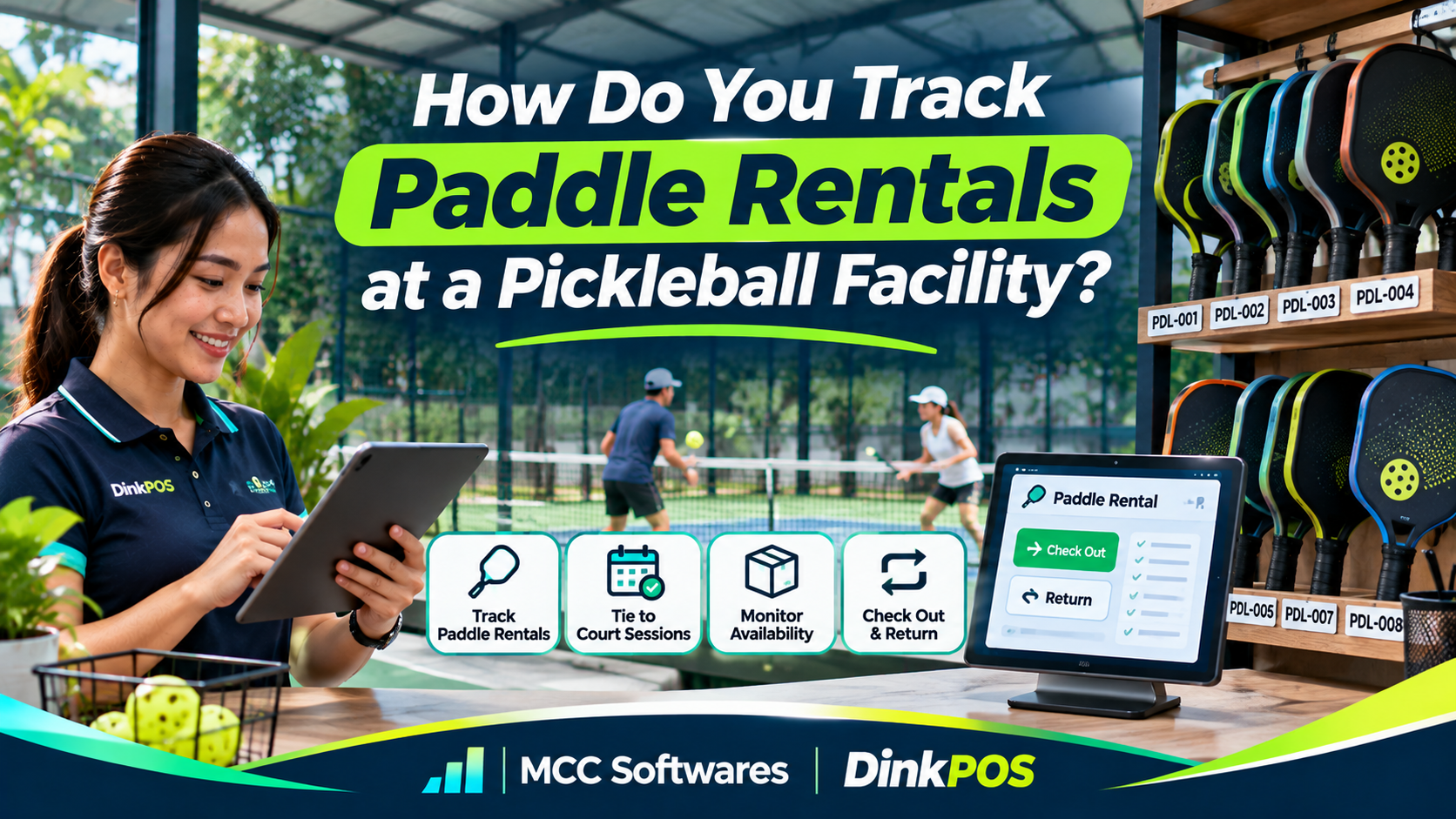
If you operate a pickleball court, offering rental paddles is a convenient way to accommodate beginners and players who don't have their own equipment.
But how do you track paddle rentals at a pickleball facility without losing equipment or forgetting who borrowed what?
Imagine having 20 rental paddles. During a busy Saturday evening, your staff hands out several paddles to different groups. By closing time, only 18 are back at the counter.
Who borrowed the missing two?
Without proper records, something as simple as renting a paddle can become an inventory problem.
Here's how to keep your equipment organized.
1. Create a List of All Rental Paddles
Before renting out equipment, prepare a complete inventory of your available paddles.
Don't just record the total number. Each paddle should have its own identification number.
For example:
| Paddle ID | Type | Condition | Status |
|---|---|---|---|
| PDL-001 | Beginner | Good | Available |
| PDL-002 | Beginner | Good | Rented |
| PDL-003 | Intermediate | Good | Available |
| PDL-004 | Intermediate | Damaged | Maintenance |
Assigning unique IDs helps employees identify which paddle was issued and returned.
You can use small waterproof stickers, barcode labels, or QR codes, provided they don't interfere with the paddle's playing surface or performance.
2. Record Every Paddle Checkout
When a customer rents a paddle, your staff should record the transaction before handing over the equipment.
The record should include:
Paddle identification number
Customer name or booking reference
Court number
Checkout date and time
Expected return time
Rental fee and payment status
Equipment condition
For example, a customer renting Court 2 from 6:00 PM to 8:00 PM might also borrow two paddles.
Instead of creating an unrelated record, link those paddles to the court reservation.
This makes it easier to identify which equipment belongs to each booking.
A documented sports equipment checkout procedure from the University of Georgia also emphasizes recording equipment condition and documenting damage when items are returned.
3. Set Clear Rental Prices and Policies
Before customers borrow equipment, explain the rental terms.
You might charge per hour, per court session, or per day, depending on your business model.
Example Paddle Rental Rates
| Rental Option | Sample Price |
|---|---|
| Beginner paddle | ₱50 per session |
| Intermediate paddle | ₱80 per session |
| Two-paddle package | ₱90 per session |
These are illustrative prices, not verified Philippine market averages.
You should also establish rules covering late returns, damaged equipment, missing paddles, and deposits if your facility requires them.
Make sure customers understand these conditions before paying.
4. Inspect Paddles Before and After Use
Rental paddles experience regular wear, especially when frequently used by beginners.
Before handing over a paddle, quickly inspect its handle, edge guard, grip, and playing surface.
Repeat the inspection when the paddle is returned.
What If a Paddle Is Damaged?
Suppose a customer returns PDL-004 with a cracked edge guard.
Your staff should:
Record the reported damage.
Take a photograph when appropriate.
Mark the paddle as unavailable.
Determine whether repair or replacement is necessary.
Document any applicable customer charge under the agreed rental policy.
Normal wear and accidental damage shouldn't automatically be treated as the same thing.
A clear inspection process helps avoid disagreements and prevents damaged equipment from being rented again.
5. Track Returns and Missing Equipment
At the end of every rental session, staff should check whether all borrowed equipment has been returned.
For example, if a group rented three paddles, the system should show all three as returned before the rental transaction is considered complete.
Use Simple Equipment Statuses
A practical tracking process can use these statuses:
Available: Ready for rental
Rented: Currently issued to a customer
Overdue: Not returned by the agreed time
Maintenance: Temporarily unavailable
Lost: Confirmed missing after investigation
If a paddle isn't returned, check the booking reference and contact the customer through the facility's approved procedure.
Don't immediately mark equipment as stolen without investigating.
6. Track Paddle Rental Revenue Separately
Equipment rentals can provide additional income alongside court reservations, food sales, and merchandise.
However, you should be able to identify how much revenue comes from paddle rentals alone.
For example, suppose your facility completes 15 paddle rentals per day at an average fee of ₱50.
Daily rental revenue:
15 × ₱50 = ₱750
Monthly rental revenue over 30 days:
₱750 × 30 = ₱22,500
That's gross rental revenue before equipment replacement, maintenance, taxes, and other expenses.
Tracking rental income separately helps you understand whether buying additional paddles makes financial sense.
7. Use Software to Manage Equipment Rentals
A notebook or spreadsheet may work when you have a few rental paddles.
But as your facility grows, keeping track of equipment, customers, and payments manually becomes more difficult.
Rental management software can help you record checkouts, monitor equipment status, and organize returns.
Some systems also connect rental equipment to court bookings and point-of-sale transactions.
For example, CivicPlus Recreation Management documents rental items such as paddle sets, with configurable quantities, locations, rates, and booking options.
The important thing is choosing software that fits how your facility actually operates.
Manage Paddle Rentals With DinkPOS
DinkPOS, developed by MCC Softwares, is a pickleball court management platform combining bookings, POS, inventory, and equipment rentals.
With DinkPOS, facility staff can record paddle and ball rentals and associate them with the court sessions where they're used.
The platform also provides court booking management, live court monitoring, payment verification, and sales reporting.
Instead of managing reservations and rental transactions through separate notebooks, your team can organize important activities within one platform.
DinkPOS offers a 30-day free trial with no payment method required.
Explore DinkPOS pickleball management software to see how its features can support your facility.
If you're still planning to open a court, read our guide to starting a pickleball court business in the Philippines.
Frequently Asked Questions
Should every rental paddle have its own ID?
Yes, it's a good practice. Unique identification makes tracking individual paddles, damage, and returns easier.
How do you handle missing rental paddles?
Check the rental record, verify whether the equipment was returned elsewhere, and contact the customer if necessary. Apply any charges according to your published rental agreement.
Can a POS system track paddle rentals?
Some POS systems support equipment rentals directly, while others require an additional module. Check whether the software can link rentals to bookings and track returns.
Final Thoughts
Paddle rentals may seem like a small part of your pickleball business, but they still require proper tracking.
Assign equipment IDs, record every checkout, inspect returned paddles, and keep rental payments organized.
These simple practices help protect your equipment and make daily operations easier.
Want a more organized way to manage your pickleball facility?
Visit DinkPOS to explore court bookings, equipment rentals, POS, and inventory management.
Questions this article answers
- How do you track paddle rentals at a pickleball facility?
- What information should a paddle rental record contain?
- Should rental paddles have individual identification numbers?
- How do you handle missing or damaged paddles?
- How much should you charge for paddle rentals?
- How do you calculate paddle rental revenue?
- Can DinkPOS manage paddle and ball rentals?
Sources and references
- DinkPOS Pickleball Business Management — DinkPOS
- Creating a Rental Item — CivicPlus
- Recreational Sports Equipment Checkout Procedures — University of Georgia
- Pickleball POS and Inventory System — PlayServe
- How to Start a Pickleball Court Business in the Philippines — MCC Softwares
Topics covered
PickleballPaddle RentalsEquipment Rental ManagementDinkPOSMCC SoftwaresCivicPlusPoint-of-Sale SoftwareInventory ManagementPhilippines
Related MCC products and services
Last reviewed for accuracy: 18 November 2026.
Related articles
-
Pickleball Court Booking in the Philippines: How DinkPOS Works
Discover how DinkPOS helps players find pickleball courts, check availability, and submit payment proof—and how facility owners manage reservations, court sessions, sales, and inventory.
-
How to Manage Court Rentals, Sales, and Inventory
Running a pickleball facility? Discover how a pickleball POS system simplifies court rentals, online bookings, cashier sales, inventory tracking, and equipment rentals. Learn how DinkPOS helps Philippine pickleball businesses manage daily operations.