Key takeaways
- Manage menus centrally while controlling branch-specific products.
- Track inventory separately for each coffee shop.
- Record transfers between branches.
- Compare sales by location and view consolidated totals.
- Restrict employee access according to roles and branches.
- Support café orders, sizes, modifiers, and preparation workflows.
- Verify payment collection and cashier shift records.
- Test device compatibility and internet interruption handling.
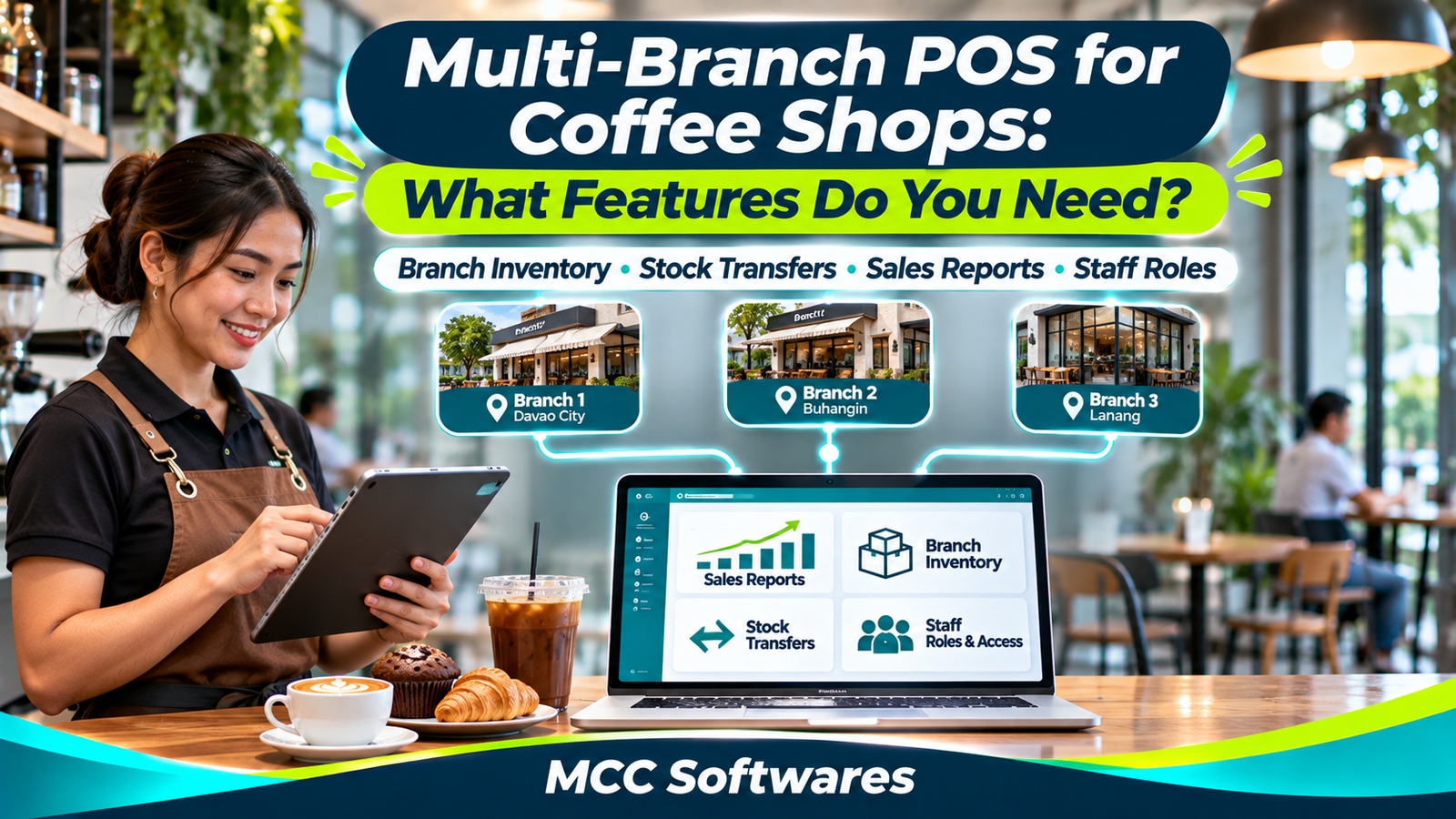
A multi-branch POS for coffee shops helps café owners manage sales, inventory, employees, and daily operations across multiple locations.
Opening a second or third coffee shop is exciting, but it also brings new challenges. You need to monitor sales from different branches, transfer supplies, manage staff schedules, and keep product prices consistent.
Without a connected system, these tasks can quickly become difficult, especially when each branch uses separate spreadsheets or POS accounts.
In this guide, we'll explain the essential features to look for when choosing a multi-branch POS system for your coffee business in the Philippines.
What Is a Multi-Branch POS System?
A multi-branch point-of-sale system allows a business to manage transactions and operational records across several locations.
Instead of checking separate reports from each shop, owners can monitor branch activity through a centralized management account.
For example, a coffee business with branches in Cotabato City and Davao City may want to compare daily sales while allowing each café to manage its own staff, stock, and orders.
A good multi-branch setup balances centralized control with enough flexibility for each location.
1. Centralized Menu and Product Management
Imagine introducing a new Spanish latte at all your branches.
Without centralized menu management, someone may need to create the same product separately in every store.
That takes time and increases the chance of inconsistent product names or prices.
What Should You Look For?
A useful system should let authorized managers maintain a shared menu while controlling which products are available at each branch.
For example, your main café might sell pastries, while a smaller kiosk offers only drinks.
You should be able to manage those differences without creating entirely separate business records.
Also look for menu sizes, add-ons, milk options, and other modifiers that coffee shops commonly use.
2. Branch-Specific Inventory Tracking
One branch may be running low on coffee beans while another still has plenty in storage.
If your POS only shows combined inventory, you may not know which location needs replenishment.
A multi-branch inventory system should show stock quantities separately for each café.
Example Branch Inventory
| Branch | Coffee Beans in Stock |
|---|---|
| Branch A | 12 kg |
| Branch B | 5 kg |
| Branch C | 8 kg |
| Total | 25 kg |
These are sample quantities.
The important thing is knowing how much inventory is available at each location, not just how much the company owns overall.
Shopify's location management documentation explains how businesses can maintain separate inventory quantities across physical locations.
For cafés, ask whether the software tracks finished products, ingredients, or both. These capabilities are not always included in the same POS package.
3. Stock Transfers Between Branches
Suppose Branch A has extra matcha powder, while Branch B needs additional stock before a weekend event.
You decide to transfer three packs.
Your inventory records should reflect the movement.
The quantity in Branch A decreases, while Branch B's quantity increases after the transfer is confirmed.
The company's overall quantity remains unchanged.
Why Transfer Records Matter
A proper transfer workflow should identify the source branch, destination, items, quantities, and employees responsible.
It should also distinguish goods sent from goods actually received.
Shopify's inventory transfer guidance documents this process, including partial receiving and tracking transfers in progress.
Without transfer records, stock discrepancies can appear even when no products were lost or sold.
4. Separate Sales Reports for Every Branch
As your coffee business grows, knowing your total sales isn't enough.
You need to understand how each location performs.
For example:
| Branch | Sample Daily Net Sales |
|---|---|
| Cotabato City | ₱12,500 |
| Davao City | ₱18,200 |
| Cagayan de Oro | ₱9,800 |
| Combined | ₱40,500 |
These figures are hypothetical.
A good multi-branch reporting system should let owners view individual branches and consolidated company results.
Useful reports include daily sales, bestselling items, discounts, refunds, payment methods, and cashier transactions.
Make sure the reports use consistent definitions and reporting periods.
A branch with higher sales doesn't necessarily have higher profit because rent, wages, and other expenses may differ.
5. Cashier Shifts and Employee Permissions
Your café managers shouldn't need to share one administrator account.
A multi-branch POS should provide individual employee access with permissions appropriate to each role.
For example, a cashier may process orders and payments, while a branch manager can review shift reports and approve certain adjustments.
The business owner may need access to every branch.
Test Branch Access Restrictions
An employee assigned to Branch A shouldn't automatically be able to change Branch B's prices or records.
Also check cashier shift functions such as opening cash, closing cash counts, transaction corrections, and recorded cash differences.
Square's multi-store POS guidance describes centralized reporting, location-based employee permissions, and inventory management as important multi-location features.
6. Support for Café Orders and Modifiers
A multi-branch POS still needs to work well at the counter.
For coffee shops, that means handling orders such as a large iced caramel latte with oat milk or an additional espresso shot.
Look for support for product sizes, modifiers, dine-in and takeaway options, held orders, and order notes.
If your café prepares drinks after receiving a kitchen or barista ticket, verify how the POS sends preparation instructions.
Some businesses use printed order slips, while others use digital preparation screens.
The right workflow depends on your equipment, staff arrangement, and service style.
7. Branch-Specific Pricing and Availability
Not every branch has the same expenses or customers.
A coffee shop inside a mall may charge differently from a smaller takeaway kiosk.
Your POS should ideally let you manage location-specific prices when needed.
For example, the same iced latte might sell for ₱140 at one branch and ₱150 at another.
Also check whether products can be temporarily unavailable at one location without disappearing from every branch's menu.
This becomes especially useful when certain ingredients are out of stock.
8. Payment Recording and Reconciliation
Your branches may accept cash, GCash, QR Ph, cards, or other payment methods.
The POS should record how each transaction was paid and which branch received the collection.
When reviewing payment integrations, ask whether transactions are automatically confirmed or require manual verification.
Cashier collections, unpaid orders, refunds, and payment settlements should not be confused with one another.
This makes end-of-day reconciliation easier to review and helps managers investigate discrepancies.
9. Internet Reliability and Device Compatibility
A tablet POS can be useful for smaller cafés and pop-up locations, but device compatibility is only part of the decision.
Ask what happens when internet connectivity is interrupted.
Can staff continue recording orders? Does the system require an active connection? What happens to unfinished transactions?
Don't assume a browser-based POS works offline.
Before subscribing, test the actual devices, network conditions, printers, and payment processes used by your branches.
Also ask about backups, technical support, and how new locations are added.
10. Compare Costs Before Expanding
Some POS providers charge per branch, per device, or per employee.
Others may offer packages with different limits.
Before committing, check the complete cost of operating all your locations.
Include software subscriptions, hardware, printers, payment processing, training, support, and any additional inventory modules.
A system that looks affordable for one café may become more expensive when you operate five.
Compare the features included at each subscription level, not just the advertised starting price.
Multi-Branch Café Management With QuixPOS Cafe
QuixPOS Cafe is a café-focused point-of-sale project developed by MCC Softwares.
The project includes multi-branch architecture, product and modifier management, cashier shifts, order handling, and sales reporting workflows.
It is being designed for cafés, coffee shops, and pop-up coffee businesses using tablet-friendly ordering interfaces.
MCC Softwares also provides business systems development for organizations that need customized inventory, sales, reporting, and multi-branch processes.
The dedicated QuixPOS Cafe website could not be independently verified during this article review. Current production availability, subscription plans, branch limits, and specific capabilities should therefore be confirmed directly with MCC Softwares.
If you're planning to expand your coffee business, explore QuixPOS Cafe and discuss your branch management requirements with the development team.
Frequently Asked Questions
Do I need a multi-branch POS for only two coffee shops?
Not necessarily, but it can be useful when you need combined reporting, branch-specific inventory, and consistent product records.
Can different branches have different prices?
Some multi-branch POS platforms support location-specific pricing. Confirm this capability before subscribing.
Can a multi-branch POS track ingredient inventory?
Some systems support ingredient-level inventory, while others primarily track products and supplies. Ask how recipe quantities and stock deductions are handled.
Is QuixPOS Cafe designed for multiple branches?
Multi-branch management is part of QuixPOS Cafe's development scope. The exact capabilities and public availability require confirmation.
Final Thoughts
Managing several coffee shops requires more than recording sales at each counter.
You need consistent menus, reliable branch inventory, clear stock transfers, employee permissions, and useful business reports.
Before choosing a multi-branch POS, test the workflows your employees will handle every day.
The right system should help you understand every branch without making daily operations more complicated.
Questions this article answers
- What is a multi-branch POS for coffee shops?
- What features should a multi-location café POS include?
- How do coffee shops track inventory across branches?
- Can a POS manage stock transfers between cafés?
- How do owners compare sales across different branches?
- Can branches use different menus and prices?
- How should employee permissions work?
- Does a multi-branch POS need internet access?
- Is QuixPOS Cafe suitable for multiple branches?
Sources and references
- Multi-Store POS Software — Square
- Inventory Transfers and Shipments — Shopify
- Managing Inventory Locations — Shopify
- Business Systems Development — MCC Softwares
- QuixPOS Product Preview — MCC Softwares
- Relevant Entities
- Multi-Branch POS, QuixPOS Cafe, MCC Softwares, Coffee Shops, Point-of-Sale Systems, Inventory Management, Stock Transfers, Square, Shopify, GCash, QR Ph, Philippines
Topics covered
Multi-Branch POSQuixPOS CafeMCC SoftwaresCoffee ShopsPoint-of-Sale SystemsInventory ManagementStock TransfersSquareShopifyGCashQR PhPhilippines
Related MCC products and services
- QuixPOS
Last reviewed for accuracy: 28 November 2026.
Related articles
-
QuixPOS Cafe: A Tablet POS System for Philippine Coffee Shops
Discover QuixPOS Cafe, a tablet-friendly POS system developed for Philippine coffee shops, cafés, and pop-up businesses. Explore touchscreen ordering, menu modifiers, kitchen workflows, sales reporting, and cashier management.
-
How Much Does a Website Redesign Cost in the Philippines?
Planning to redesign your business website? Explore 2026 website redesign costs in the Philippines, what affects pricing, hidden expenses, and how to budget for better design, mobile usability, and SEO.
-
How Do You Track Stock Between Your Bodega and Store Shelves?
Struggling to track inventory between your bodega and store shelves? Learn how to record stock transfers, monitor quantities by location, prevent discrepancies, and organize inventory for your retail business.