
Key takeaways
- QuixPOS Cafe focuses on coffee shop and café operations.
- Its interface is designed around touchscreen ordering.
- Menu workflows include sizes, modifiers, and add-ons.
- Orders can follow dine-in, takeaway, hold, and pay-later workflows.
- Kitchen and barista order processing are part of development.
- Cashier shifts and reporting support operational recordkeeping.
- Multi-branch architecture is included in the project.
- Public availability, subscriptions, and hardware support must be confirmed
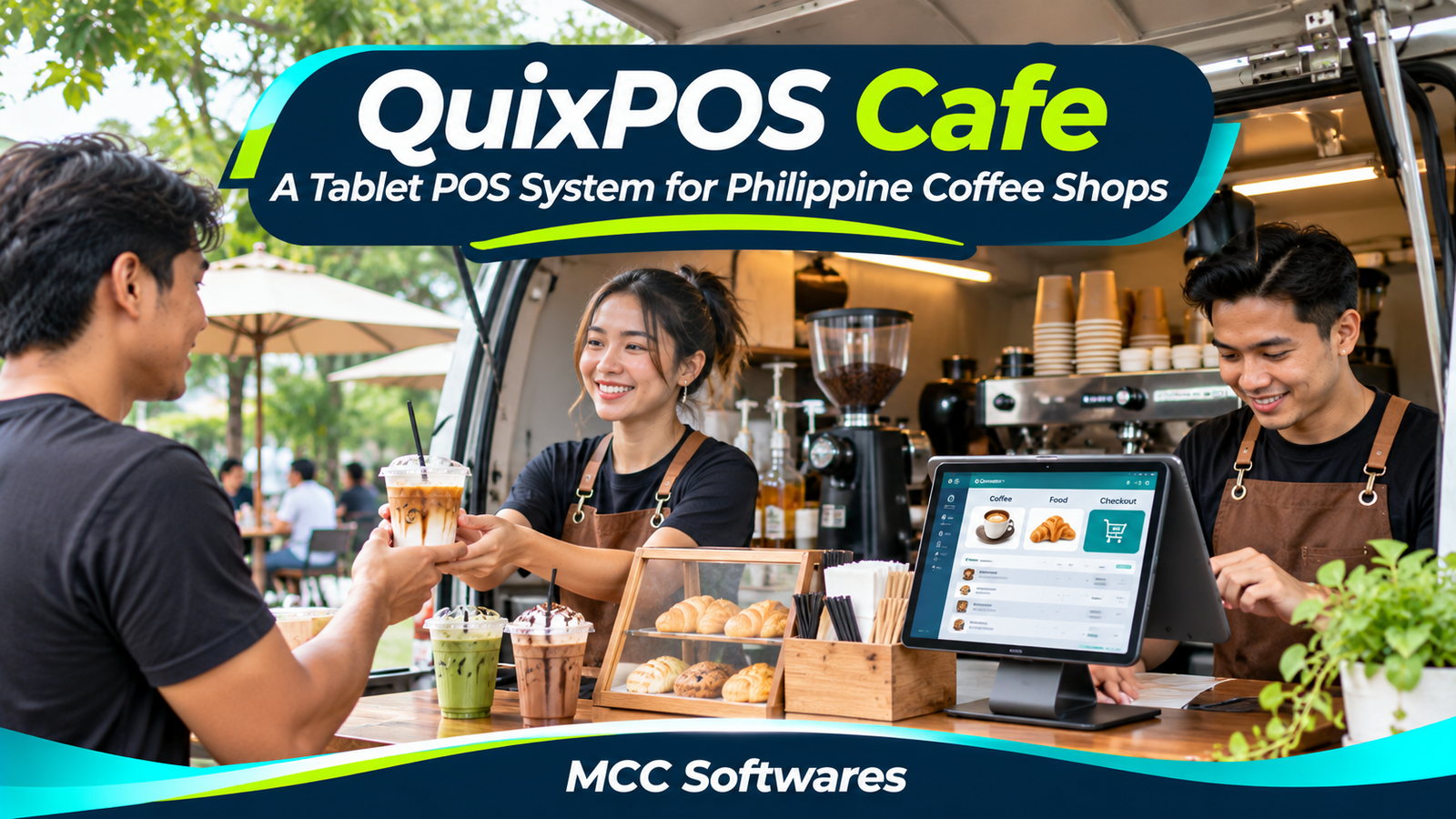
Running a coffee shop isn't just about preparing great drinks. Behind every order, there's a cashier taking payments, a barista preparing beverages, and an owner keeping track of daily sales.
When orders start coming in quickly, managing everything manually can become difficult.
That's where QuixPOS Cafe, a tablet POS system for Philippine coffee shops, comes in.
Developed by MCC Softwares, QuixPOS Cafe is a point-of-sale application designed around the daily operations of cafés, coffee shops, and mobile coffee businesses.
Its development focuses on touchscreen ordering, customizable menu items, order management, cashier workflows, and business reporting.
Here's a closer look at what makes a café-focused POS useful and how QuixPOS Cafe is being developed to support these needs.
What Is QuixPOS Cafe?
QuixPOS Cafe is a tablet-friendly point-of-sale system designed for food and beverage businesses that need an organized way to take orders and manage transactions.
Unlike a generic retail POS that primarily handles product scanning, a café POS needs to accommodate the way drinks and food are prepared.
For example, a customer might order an iced latte with oat milk, less sugar, and an extra espresso shot.
A café POS should allow the cashier to record those choices clearly so the barista knows exactly what to prepare.
QuixPOS Cafe is being developed with this kind of ordering process in mind.
1. Touchscreen Ordering for Faster Counter Operations
Picture your café during the morning rush.
Three customers are waiting, one is ordering a customized drink, and another wants to add a pastry.
Your cashier needs an interface that makes selecting products straightforward.
QuixPOS Cafe uses a touchscreen-oriented design intended for tablet devices.
Products can be organized into categories such as coffee, non-coffee drinks, pastries, and food.
Cashiers can locate items, choose options, and build an order without navigating complicated screens.
Designed for Tablet-Based Operations
The project includes tablet-oriented interfaces for Android and iPad devices, alongside browser-based workflows.
This can be useful for cafés with limited counter space or mobile coffee setups operating from a pop-up booth or vehicle.
Actual device compatibility should be tested before a business relies on the system for daily operations.
2. Menu Sizes, Modifiers, and Add-Ons
Coffee orders aren't always straightforward.
One customer wants a small cappuccino. Another wants a large iced matcha with oat milk and additional sweetener.
A café POS needs to capture these details without relying entirely on handwritten notes.
Customizing Orders With QuixPOS Cafe
The system's menu management workflow includes product categories, different size options, and configurable modifier groups.
Examples include:
Small, medium, and large drink sizes
Milk options
Sugar preferences
Extra espresso shots
Additional toppings
Product-specific add-ons
These selections can be configured according to the café's actual menu.
Proper modifier handling is an established consideration for restaurant POS systems. Toast's restaurant POS documentation explains how modifier choices can be displayed on orders and preparation tickets.
3. Dine-In, Takeaway, and Held Orders
Not every customer pays immediately.
For example, someone might order coffee and a sandwich, then return to the counter to add another item.
QuixPOS Cafe's developed order workflow includes dine-in and takeaway selections, order notes, and the ability to hold and recall orders.
It also supports workflows for paying immediately or paying later.
This gives cashiers a way to manage orders that aren't ready for final payment.
Why Held Orders Matter
A held order allows staff to return to an existing transaction rather than starting everything again.
However, employees still need clear procedures for identifying the correct customer or order and preventing duplicate charges.
4. Kitchen and Barista Order Management
A café needs coordination between the cashier and the person preparing the order.
When a customer requests a large iced latte with less sugar, that information should reach the barista accurately.
QuixPOS Cafe's development includes kitchen and barista order workflows, with options being developed for printed preparation slips and on-screen preparation views.
Depending on the configured workflow and supported equipment, a café may use printed tickets or a digital preparation screen.
Hardware and printer compatibility should be confirmed before deployment.
5. Cashier Shifts and Cash Monitoring
At the end of the day, café owners need to know how much money was collected and whether the cash drawer matches recorded transactions.
QuixPOS Cafe includes cashier shift workflows covering opening cash, transactions, cash counting, and shift closing.
For example, a cashier may start with a ₱1,000 cash float, record transactions throughout the shift, and count the remaining cash before handing over the register.
A closing report can help identify differences that require review.
Restaurant POS providers such as Square also document shift reporting as an important part of daily restaurant operations.
The important thing is keeping sales, payments, and cash movements properly documented.
6. Product Management and Sales Reporting
Knowing which products sell well can help café owners plan their menus and purchasing.
For example, your coffee shop may sell more iced Spanish lattes in the afternoon and more hot coffee in the morning.
QuixPOS Cafe's development includes product management and reporting workflows for monitoring sales and transactions.
The system also includes inventory-related functionality, although café owners should confirm the exact level of ingredient-level tracking and stock deduction supported by the current build.
What Should Café Owners Monitor?
Useful reports include daily sales, payment collections, popular products, cashier shifts, and unpaid orders.
These records can help owners review operations without relying entirely on handwritten summaries.
7. Built for Small Cafés and Growing Coffee Businesses
Not every coffee business operates inside a permanent storefront.
Some owners sell coffee at weekend markets, pop-up events, food parks, or mobile setups.
A tablet-based POS can be particularly practical where counter space is limited.
For established cafés with several locations, QuixPOS Cafe's development also includes multi-business and multi-branch management architecture.
However, branch limits, subscription plans, and supported deployment arrangements must be confirmed for the eventual public offering.
Is QuixPOS Cafe Right for Your Business?
A café POS shouldn't be chosen based on appearance alone.
Before adopting any system, test your actual workflow.
Try adding products, selecting drink sizes, applying modifiers, holding an order, recording payment, and completing a cashier shift.
Check whether your barista receives the correct preparation details.
Also ask about internet connectivity, hardware requirements, receipts, backups, ongoing support, and the total cost of using the platform.
These practical checks are more useful than choosing software simply because it advertises a long list of features.
Introducing QuixPOS Cafe by MCC Softwares
QuixPOS Cafe is a café-focused POS project developed by MCC Softwares, a Philippine software development company based in Cotabato City, BARMM.
The system is being developed for coffee shops, cafés, and food businesses that need touchscreen ordering, flexible menus, transaction management, and day-to-day operational reporting.
It is a separate café-focused project from MCC's broader QuixPOS retail product.
Public access, production readiness, trial availability, subscription pricing, and supported hardware configurations should be confirmed with the MCC Softwares team.
If you're considering a POS for your coffee business, explore the QuixPOS Cafe website or contact MCC Softwares to discuss your requirements.
Frequently Asked Questions
What is QuixPOS Cafe?
QuixPOS Cafe is a tablet-friendly POS project by MCC Softwares focused on coffee shop ordering, menu customization, cashier workflows, and business management.
Can QuixPOS Cafe handle customized coffee orders?
The developed menu workflow includes sizes and configurable modifiers for options such as milk choices, sugar preferences, and extras.
Can QuixPOS Cafe be used for a pop-up coffee shop?
Its touchscreen design is intended to suit compact coffee-selling setups, but device, connectivity, and operational requirements should be tested before deployment.
Does QuixPOS Cafe support kitchen or barista workflows?
Kitchen and barista order processing are included in the development scope. Confirm available printing and display options in the current build.
Is QuixPOS Cafe available for subscription?
Public subscription availability and pricing have not been independently verified. Contact MCC Softwares for the current status.
Final Thoughts
A good café POS system should do more than record payments.
It should help cashiers handle orders, baristas understand customer requests, and owners review what happened during the day.
QuixPOS Cafe is being developed around these everyday coffee shop workflows, with a particular focus on touchscreen usability and practical business management.
Planning to open a café or improve your existing ordering process?
Explore QuixPOS Cafe and discuss your requirements with MCC Softwares.
Questions this article answers
- What is QuixPOS Cafe?
- How does a tablet POS work in a Philippine coffee shop?
- Does QuixPOS Cafe support customized drinks?
- Can it handle dine-in and takeaway orders?
- What are held orders in a café POS?
- Can staff send orders to a kitchen or barista?
- How can a café track cashier shifts and daily sales?
- Is QuixPOS Cafe suitable for pop-up coffee businesses?
- Is QuixPOS Cafe available for subscription?
Sources and references
- QuixPOS Cafe Project Website — MCC Softwares
- QuixPOS Retail Product Preview — MCC Softwares
- Business Systems Development — MCC Softwares
- Configure Modifier Display Options — Toast
- Get Started With Kitchen Configuration — Toast
- Restaurant Shift Reports — Square
Topics covered
QuixPOS CafeMCC SoftwaresQuixPOSTablet POSCoffee ShopsCafésPoint-of-Sale SoftwareAndroid TabletsiPadKitchen Display SystemsMenu ModifiersCashier ShiftsPhilippines
Related MCC products and services
- QuixPOS
Last reviewed for accuracy: 25 November 2026.
Related articles
-
Who Should Control Your Business Domain and Hosting Accounts?
Your business website is online, but who controls the domain and hosting? Learn how to protect your registration, manage developer access, and avoid problems when switching providers.