Key takeaways
- Test every page and navigation link.
- Check mobile responsiveness across common devices.
- Verify that contact forms and notifications work.
- Review page speed and Core Web Vitals.
- Correct inaccurate content and broken links.
- Check SEO titles, indexing settings, and sitemaps.
- Verify HTTPS, administrator access, and backups.
- Test real customer tasks before launching.
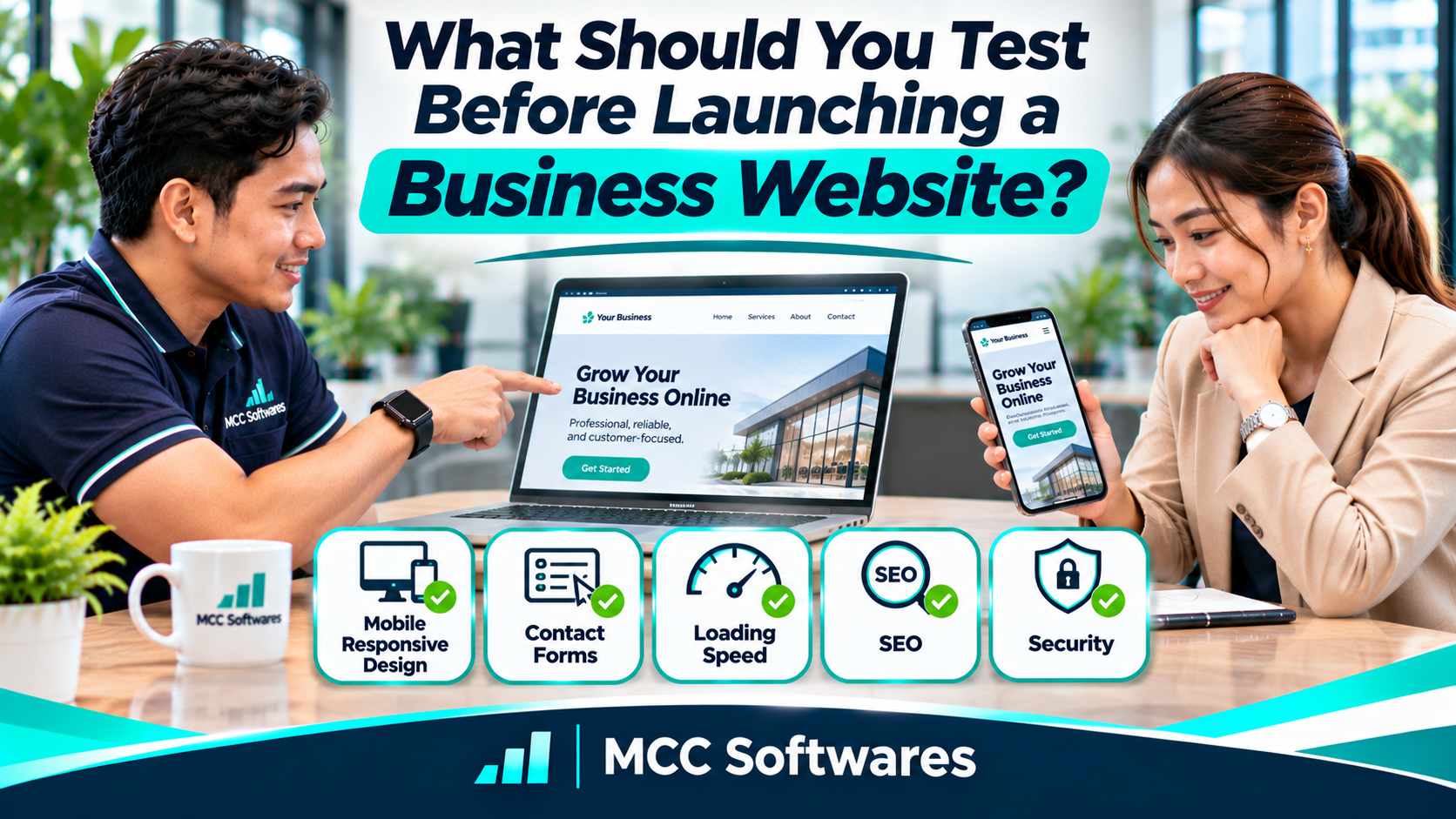
A website launch checklist helps ensure your business website is ready before customers start visiting. Even if your design looks professional and all your pages are complete, there may still be issues with contact forms, mobile responsiveness, loading speed, or security.
Before announcing your website on Facebook or Google, it's important to test everything properly.
Whether you're launching a business website in Cotabato City, Davao City, or anywhere in the Philippines, this guide covers the essential checks you should complete before going live.
1. Check Every Page and Navigation Link
Start by browsing your website as if you're a first-time visitor.
Open the homepage, About Us, Services, Portfolio, and Contact pages.
Click every navigation link and confirm that it leads to the correct destination.
Don't forget to test buttons, social media links, downloadable documents, and footer links.
Watch Out for Broken Links
A broken link may lead to a 404 error or an outdated page.
If your website has a "Request a Quotation" button, make sure it actually opens the appropriate form.
Remove temporary development links and placeholder pages before publishing.
2. Test Your Website on Mobile Devices
Your website might look excellent on a laptop but become difficult to use on a smartphone.
Open it on different screen sizes, preferably including Android and iPhone devices.
Check whether text is readable, buttons are easy to tap, and menus work properly.
You shouldn't need to zoom in or scroll sideways just to read information.
Google's mobile-first indexing guidance also explains why accessible mobile content matters for search visibility.
3. Submit a Test Contact Form
This is one of the most important checks for a business website.
Imagine someone looking for a construction company in Cotabato City. They complete your contact form to request an estimate, but you never receive their message.
That's a missed opportunity caused by something that could have been tested.
How to Test Your Contact Form
Submit a test inquiry using a real email address you control.
Verify that the submission succeeds, required fields work, the message reaches the correct inbox, and any confirmation email arrives.
Also check your spam folder.
If your website includes appointment booking, online payments, or quotation requests, test those processes from beginning to end using appropriate test data.
4. Check Website Loading Speed
A website shouldn't force visitors to wait unnecessarily.
Large images, excessive scripts, and poorly configured hosting can make pages feel slow.
Use Google PageSpeed Insights to review your website's mobile and desktop performance.
Pay attention to Google's Core Web Vitals:
Largest Contentful Paint (LCP): How quickly the main content appears
Interaction to Next Paint (INP): How responsive the page feels during interactions
Cumulative Layout Shift (CLS): Whether page elements unexpectedly move
Google's Core Web Vitals documentation explains these measurements.
You don't need a perfect score, but important pages should load and respond comfortably.
5. Review Your Website Content
Read every important page carefully.
Check your business name, phone number, email address, location, service descriptions, prices, and operating hours.
Look for spelling mistakes, unfinished sections, and placeholder text.
If your business uses real customer testimonials, make sure they're accurate and published with appropriate permission.
Also verify that your photos represent the actual products, services, or facilities being advertised.
A professional design won't help much if customers receive incorrect information.
6. Review Your Basic SEO Settings
Your website may be ready for visitors, but search engines also need to understand its pages.
Before launching, review each important page's title, meta description, headings, and URL.
For example, a clinic website should use descriptive titles rather than labeling every page simply "Home."
Check for Accidental Noindex Settings
During development, websites are sometimes configured to discourage search engine indexing.
Before launch, confirm that your intended public pages aren't accidentally marked noindex.
Also check whether your robots.txt file blocks important resources or pages.
Google's SEO guide for developers explains these technical requirements.
After launching, you can submit a sitemap through Google Search Console.
Remember that sitemap submission doesn't guarantee indexing or search rankings.
7. Test Website Security and Privacy
Security matters even for a small informational website.
Make sure your website loads over HTTPS without certificate warnings.
Review administrator accounts, password practices, and access permissions.
Remove unnecessary test accounts and ensure private administrative pages require authentication.
If your website collects customer information through forms, review how that information is handled and protected.
The OWASP Web Security Testing Guide provides technical guidance for testing web application security.
For websites with customer accounts, payments, or sensitive data, additional professional security testing may be appropriate.
8. Verify Your Domain, Hosting, and Backups
Before publishing, check that your domain points to the correct website.
Confirm your hosting subscription, SSL certificate, and renewal arrangements.
Make sure you have a usable backup of your website files and database, where applicable.
Ask your developer how the website would be restored if something went wrong.
Also confirm that your business retains appropriate access to its domain and hosting accounts.
These responsibilities should be clear before the project is considered complete.
9. Test the Website Like a Customer
Finally, ask someone unfamiliar with your website to complete a few simple tasks.
Can they find your services without assistance?
Can they locate your phone number, request a quotation, or find your business address?
If they struggle, your navigation or content may need improvement.
A website isn't ready simply because every page loads. It should also be easy for customers to use.
Need Help Building or Improving Your Business Website?
At MCC Softwares, we develop custom websites and web applications for businesses and organizations in the Philippines.
Our web application development services focus on responsive interfaces, practical workflows, and systems designed around business requirements.
Whether you're planning a company website, customer portal, or more specialized online application, testing should be part of the development process.
If you're still comparing providers, read our guide to choosing a website developer in the Philippines.
You can also contact MCC Softwares to discuss your website requirements.
Frequently Asked Questions
What is the most important thing to test before launching a website?
Start with critical customer actions, including navigation, contact forms, mobile usability, and any booking or payment features.
Should I test my website on different browsers?
Yes. Check important pages and features in commonly used browsers, including Chrome, Safari, Edge, and Firefox where relevant.
Does a new website appear on Google immediately?
Not necessarily. Google must discover and index the pages, and indexing is not guaranteed.
Can I update my website after launch?
Yes. You can continue improving content, performance, and features after launch. However, critical problems should be resolved beforehand.
Final Thoughts
Launching a business website is exciting, but don't rush the final checks.
Test your pages, contact forms, mobile design, loading speed, SEO settings, security, and backups.
Most importantly, make sure visitors can find what they need and contact your business without difficulty.
A website is ready to launch when it works for your customers, not just when it looks finished.
Questions this article answers
- What should you test before launching a business website?
- How do you check if your website is ready to go live?
- How should you test a website contact form?
- What SEO settings should you check before launch?
- Why is mobile testing important?
- How can you test website speed and security?
- Should you check domain and hosting access?
- Can you update your website after launching?
Sources and references
- SEO Guide for Web Developers — Google Search Central
- Mobile-First Indexing Best Practices — Google Search Central
- Core Web Vitals — web.dev
- PageSpeed Insights — Google
- Web Security Testing Guide — OWASP
- Web Application Development Philippines — MCC Softwares
Topics covered
MCC SoftwaresWebsite TestingWebsite DevelopmentGoogle Search CentralGoogle Search ConsolePageSpeed InsightsCore Web VitalsOWASPHTTPSPhilippines
Related MCC products and services
Last reviewed for accuracy: 19 November 2026.
Related articles
-
How to Choose a Website Developer in the Philippines
Choosing a website developer? Learn how to compare portfolios, proposals, costs, ownership, SEO, and ongoing support before hiring a developer for your Philippine business.