Key takeaways
- Personal Gmail uses an @gmail.com address.
- Business email uses a custom company domain.
- Both options can support secure email communication.
- Professional email provides consistent branding.
- Organization-managed email helps businesses control employee accounts.
- Google Workspace is one option, not the only provider.
- Domain-based email requires proper DNS and authentication configuration.
- Gmail can be suitable for startups, but larger teams may need managed accounts.
When starting a business, creating a Gmail account is often one of the first things you do.
It's free, familiar, and easy to set up. You can immediately start communicating with customers, suppliers, and potential clients.
But as your company grows, you might wonder whether it's time to switch to a professional email address.
Understanding business email vs personal Gmail can help you decide which option makes sense for your company's budget, branding, and daily operations.
The answer isn't necessarily that one is bad and the other is good. Both can work, but they serve different business needs.
What Is the Difference Between Business Email and Personal Gmail?
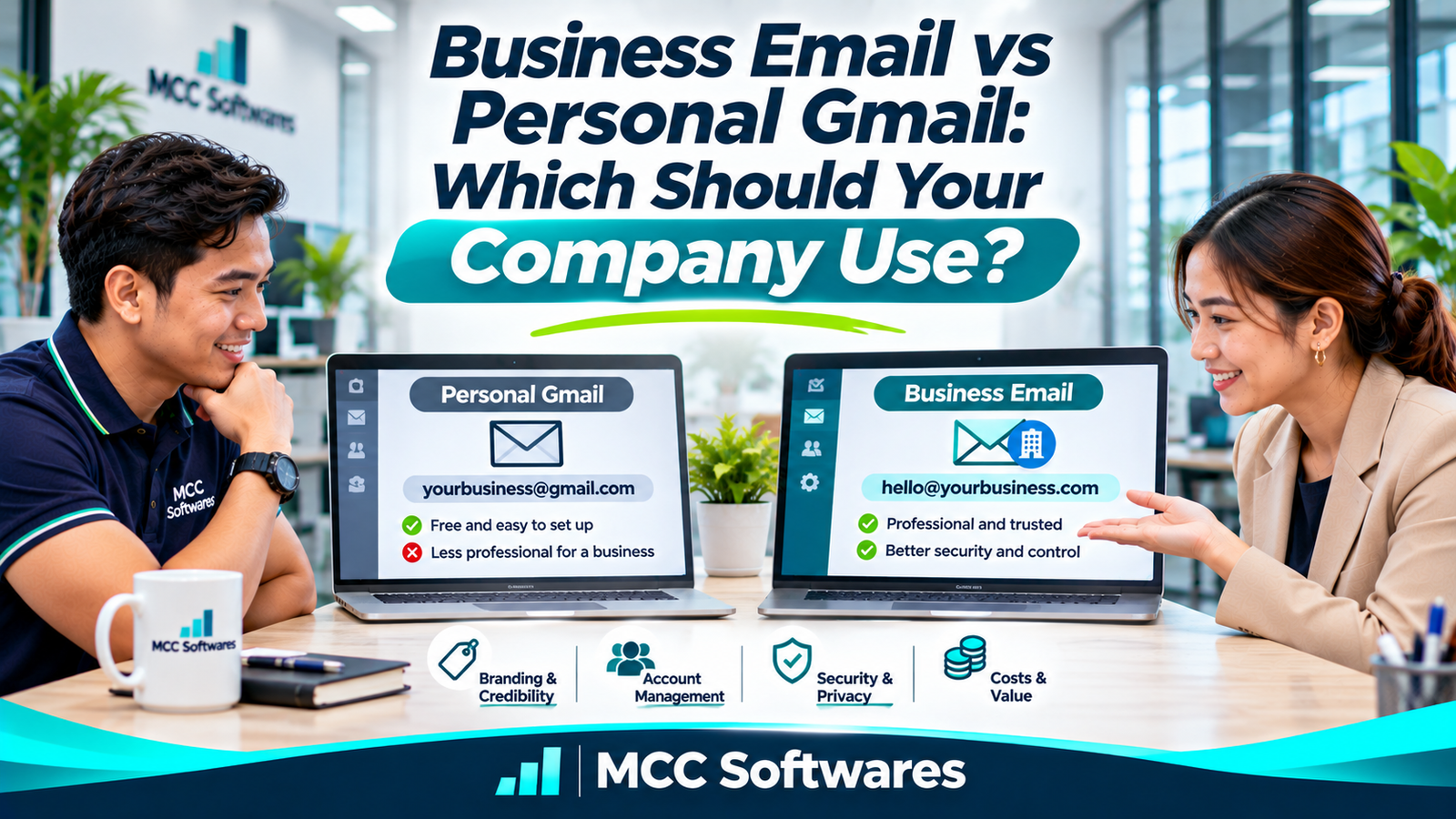
A personal Gmail account usually uses an address ending in @gmail.com.
For example:
Personal Gmail: yourbusiness@gmail.com
A professional business email uses a domain associated with your company.
For example:
Business Email: hello@yourbusiness.com
The biggest difference is that a business email uses your own domain rather than Gmail's public domain.
Professional email can be hosted by Google Workspace, Microsoft 365, or another email hosting provider.
You can even use Gmail's familiar interface with your own business domain through Google Workspace.
1. Business Email Looks More Professional
Imagine receiving two quotations from different suppliers.
One arrives from abcconstruction2026@gmail.com.
The other comes from sales@abcconstruction.ph.
Both suppliers could be legitimate, but the second address clearly connects the email to the company's brand.
That consistency can make business communication look more established.
Does That Mean Gmail Is Unprofessional?
Not necessarily.
Many freelancers, startups, and small businesses begin with Gmail because it's accessible and practical.
Using Gmail doesn't automatically make a company less trustworthy.
However, when your business regularly sends quotations, invoices, proposals, and customer communications, a domain-based address can give you a more consistent identity.
2. Your Business Email Matches Your Website
If you already own a website domain, you can use that same domain for business email.
For example, MCC Softwares uses the domain mccsoftwares.com, and its published contact email is info@mccsoftwares.com.
This makes it easier for customers to recognize that the website and email address belong to the same organization.
Imagine printing your company details on business cards:
Website: yourbusiness.com
Email: info@yourbusiness.com
They look consistent and are easy to remember.
You can also create role-based addresses such as sales@, support@, and billing@, depending on your email provider's features and configuration.
3. Business Email Gives You More Administrative Control
This becomes important when your company starts hiring employees.
Suppose you have five employees handling sales, customer support, and operations.
If everyone uses their own personal Gmail account for company transactions, important business conversations may be scattered across individually controlled accounts.
What happens when an employee resigns?
The business may have difficulty recovering important customer communications or continuing conversations.
How Business Email Helps
With an organization-managed email service, an authorized administrator can generally manage employee accounts, reset access, and apply company policies.
Google Workspace, for example, allows administrators to suspend organizational accounts when necessary.
That doesn't automatically mean every email is preserved forever. Retention, transfer, and recovery options depend on the service plan and configuration.
Still, company-managed accounts provide a clearer basis for managing employee access.
4. Consider Security and Account Recovery
Both personal Gmail and professional email can use security features such as multifactor authentication.
A business email address is not automatically more secure just because it uses a custom domain.
Security depends on how accounts are configured and managed.
For company email, establish clear procedures for strong passwords, multifactor authentication, account recovery, and employee access.
What About Email Spoofing?
A custom business domain also needs appropriate email authentication.
Common protections include:
SPF: Identifies authorized sending servers.
DKIM: Helps verify that messages were authenticated by the sending domain.
DMARC: Helps domain owners define how receiving systems should handle messages that fail relevant authentication checks.
Google's email sender guidelines explain these controls and their role in email delivery.
Proper setup can reduce certain spoofing risks, although it cannot eliminate phishing or guarantee that every email reaches the recipient's inbox.
5. Compare the Costs
One major advantage of personal Gmail is that a standard consumer account is free.
For a new business with very few inquiries, that may be enough.
Professional business email usually involves a domain and an email hosting subscription, although some hosting packages include email service.
How Much Does Google Workspace Cost?
Google Workspace offers business email with a custom domain, but its pricing depends on the selected plan, billing arrangement, and current promotions.
Its Philippine pricing page lists paid subscriptions in US dollars per user per month.
For current rates, review Google Workspace pricing.
You should also consider your domain registration and renewal costs.
Not every business needs an expensive email package. Choose based on the number of employees, storage requirements, security controls, and collaboration tools you actually need.
6. Can You Use Business Email Without Google Workspace?
Yes.
Google Workspace is only one option.
Some businesses use Microsoft 365, while others purchase email hosting from their domain or website hosting provider.
For example, a business might have its website hosted by one company and its email handled by another provider.
This is a normal arrangement.
Just make sure your domain's email records are configured correctly, and clarify who manages renewals, backups, and account recovery.
The best provider is the one that meets your requirements and can be managed reliably.
7. When Is Personal Gmail Enough?
Not every business needs to pay for professional email immediately.
A personal Gmail account may be adequate if you're just testing a business idea, working independently, or receiving only occasional inquiries.
For example, someone starting a small home-based business in Cotabato City might initially use Gmail while developing the company brand.
That's reasonable.
However, consider moving to domain-based email when your business begins hiring employees, handling regular customer accounts, sending formal proposals, or expanding its operations.
The goal is to choose an email setup that supports how your company actually works.
8. How Do You Switch to Business Email?
If you've decided to use a professional address, the process doesn't have to be complicated.
Start With Your Domain
First, register a domain that matches your business name, if you don't already have one.
Next, choose an email hosting provider.
Configure the required domain records, create your company email accounts, and enable appropriate security settings.
Before announcing the new address, test whether you can send and receive messages.
You should also update your website, invoices, business cards, Facebook Page, and Google Business Profile where applicable.
Don't Forget Your Existing Gmail Contacts
If customers already know your Gmail address, don't abandon it immediately.
You can announce the new email address and arrange appropriate forwarding or migration options.
Keep the old account accessible during the transition, and review any privacy or data-handling responsibilities before moving business messages.
Does Professional Business Email Improve SEO?
Using info@yourbusiness.com instead of yourbusiness@gmail.com doesn't automatically improve your Google Search rankings.
SEO depends on your website's content, technical accessibility, and other search signals.
However, a consistent business email can support branding and make your contact information easier for customers to recognize.
Think of professional email as a communication and identity decision rather than a guaranteed SEO strategy.
Building Your Business Website With MCC Softwares
A professional email address is one part of establishing your company's online presence.
Your website is another.
At MCC Softwares, we develop custom websites and web applications for businesses and organizations in the Philippines.
Our web application development services focus on responsive interfaces, practical business workflows, and systems developed around organizational requirements.
If you're preparing your company's website, it's worth planning your domain, contact information, and digital communication needs early.
You can also read our guide to choosing a website developer in the Philippines.
For website or custom application requirements, contact MCC Softwares.
Frequently Asked Questions
Is Gmail acceptable for business use?
Yes. A personal Gmail account can be suitable for freelancers and small businesses. A professional domain-based email becomes more useful as your operations and staffing grow.
Do I need a website to have business email?
No. You can register a domain and set up email hosting without launching a website.
Is Google Workspace the only way to get professional email?
No. Microsoft 365 and other email hosting providers also support custom business domains.
Can I keep my existing Gmail account?
Yes. You can keep it while transitioning to your new address. Migration and forwarding options depend on your chosen email service.
Final Thoughts
Choosing between business email and personal Gmail depends on where your company is today and what it needs next.
If you're just starting out, Gmail can be a practical option.
But if you're building a recognizable brand, managing employees, or communicating regularly with customers and suppliers, professional business email is worth considering.
Your email address should make communication easier while giving your business the control it needs as it grows.
Questions this article answers
- What is the difference between business email and personal Gmail?
- Is Gmail acceptable for a small business?
- Does professional email look more credible?
- How does business email help with employee accounts?
- Is business email more secure than Gmail?
- How much does Google Workspace cost?
- Do you need a website to create a business email?
- Can you keep your existing Gmail when switching?
- Does business email improve Google SEO?
Sources and references
- Google Workspace Business Plans — Google Workspace
- Work or School Google Account — Google
- Suspend a User Temporarily — Google Workspace Admin Help
- Email Sender Guidelines — Google
- Web Application Development — MCC Softwares
- Contact MCC Softwares — MCC Softwares
Topics covered
GmailGoogle WorkspaceMicrosoft 365Business EmailCustom DomainSPFDKIMDMARCMCC SoftwaresDomain RegistrationPhilippines
Related MCC products and services
Last reviewed for accuracy: 22 November 2026.
Related articles
-
Custom Web Application Development for Small Businesses
Is custom web application development worth it for your small business? Compare ready-made software, total costs, potential benefits, and the questions to ask before hiring a developer.
-
How to Choose a Website Developer in the Philippines
Choosing a website developer? Learn how to compare portfolios, proposals, costs, ownership, SEO, and ongoing support before hiring a developer for your Philippine business.
-
Affordable Custom Software Development in Cotabato City
Planning a custom system in Cotabato City? Learn how to compare proposals, prioritize features, budget for support, and explore MCC Softwares solutions for your organization.